What Is Phishing? Explained Simply
In this post
- How Phishing Works: The Trick in Simple Terms
- The Most Common Types of Phishing
- Warning Signs: How to Spot a Phishing Message
- What to Do If You Receive a Phishing Message
- Protecting Yourself: Habits That Keep You Safe
- Phishing at Work and the Bigger Picture
- Phishing at Work: The Office Inbox Under Attack
- Teaching Older Relatives to Spot Scams
- The Psychology of Phishing: Why Smart People Fall for It
- My Take:
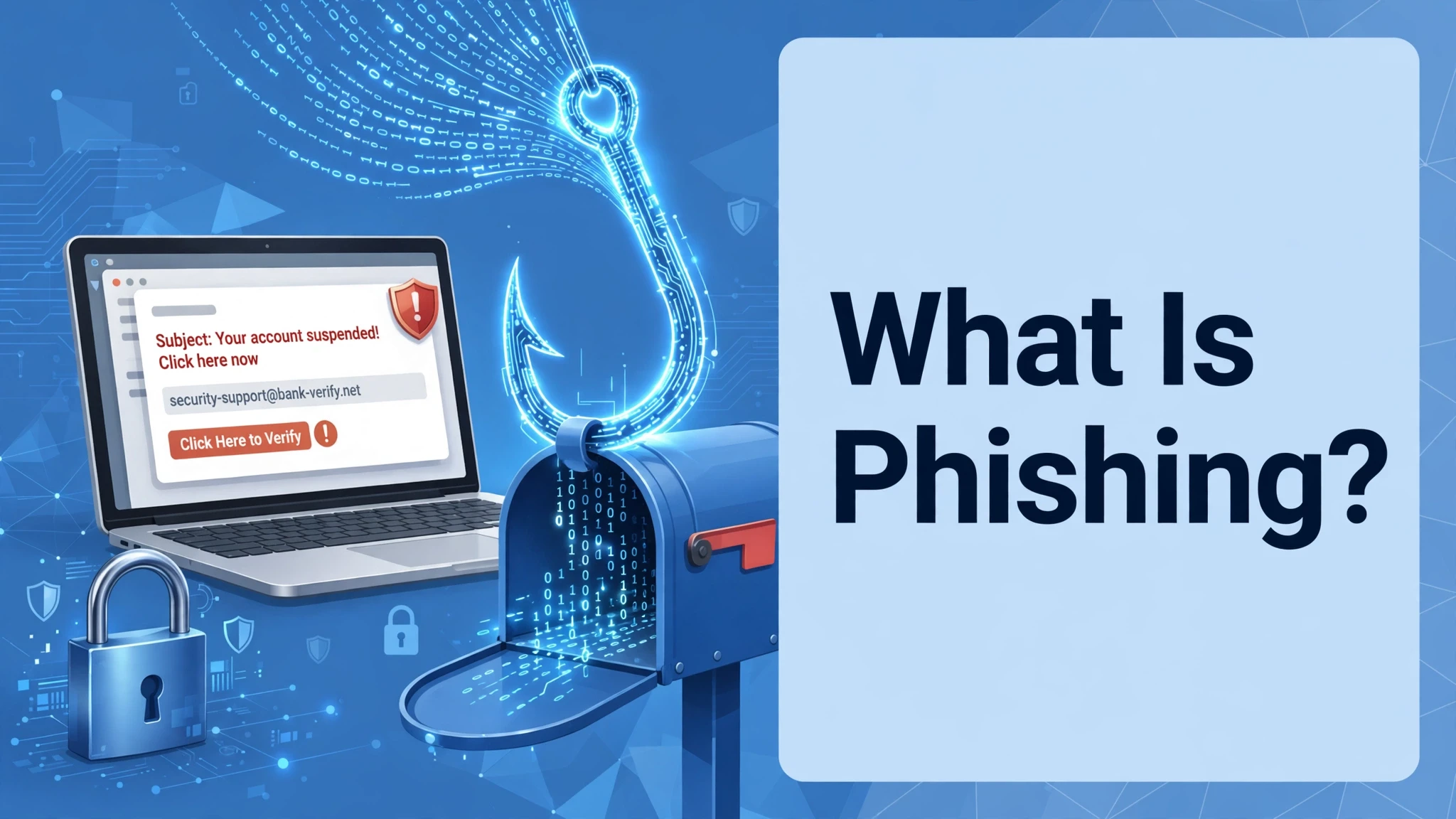
Phishing is one of the most common scams in the world, and it is also one of the simplest to understand. It is a trick in which a criminal pretends to be someone you trust, a bank, a delivery company, a colleague, or a government department, and tries to get you to give away your password, your bank details, or your money. The message usually arrives by email, text, or a messaging app, and it looks convincing: the right logo, the right tone, and a sense of urgency that makes you act quickly, without thinking. That urgency is the point. Phishing works by making you act before you check.
This guide explains what phishing is, simply, how it works, how to spot it, and how to protect yourself. It covers the most common types, the warning signs, and what to do if you have clicked a link or shared information. You do not need technical knowledge to stay safe. You need a few habits, a little scepticism, and the willingness to pause before you click. Phishing is a crime, but it is also a test of attention, and attention is something anyone can learn.
How Phishing Works: The Trick in Simple Terms
Phishing works in three steps. First, the criminal sends a message that looks as if it comes from a trusted organisation. It might say that your account has been locked, that a parcel cannot be delivered, that you owe money, or that you have won a prize. The message uses the organisation’s logo, its colours, and its style, so that it looks genuine. Second, the message asks you to do something: click a link, open an attachment, or reply with information. The link goes to a fake website, designed to look like the real one, where you are asked to enter your password or your bank details. Third, the criminal uses that information to steal money, to access your accounts, or to impersonate you.
The key to phishing is trust. The criminal is not hacking your computer. They are hacking your judgement, by pretending to be someone you trust, and by creating a sense of urgency that makes you act without checking. A message that says your account will be closed in 24 hours, or that a parcel will be returned if you do not act now, is designed to make you panic. That panic is the vulnerability. If you pause, check the sender, and think about whether the message makes sense, the trick usually falls apart. Phishing is not a technical attack. It is a confidence trick, and confidence tricks can be defeated by attention.
The Most Common Types of Phishing
The most common type is email phishing, in which a criminal sends a fake email that looks like it comes from a bank, a shop, or a service you use. The email asks you to click a link and log in, or to download an attachment that contains malware. A second type is smishing, which is phishing by text message, often pretending to be a delivery company or a bank, with a link to a fake website. A third type is vishing, phishing by voice call, in which a criminal calls and pretends to be from a bank or a government department, and asks for personal information or for you to transfer money.
A fourth type is spear phishing, which is targeted at a specific person, often using information from social media or from a data breach, to make the message more convincing. A fifth type is clone phishing, in which a criminal copies a genuine email you have received, replaces the link or attachment with a malicious one, and sends it again. Each type uses the same principle: pretend to be trusted, create urgency, and ask for action. The names are different, but the trick is the same, and the defence is the same: pause, check, and do not click a link or share information in response to an unexpected message.
Warning Signs: How to Spot a Phishing Message
Phishing messages have warning signs, and learning to spot them is the best defence. The first is the sender: check the email address, not only the name. A message from a bank that comes from a strange address, with misspellings or extra characters, is a warning. The second is urgency: a message that says you must act immediately, or your account will be closed, is a classic phishing tactic. Genuine organisations rarely demand immediate action by email. The third is the link: hover over it, without clicking, and check where it goes. If the address does not match the organisation, or if it is a shortened link, do not click it.
Other warning signs include poor spelling and grammar, though modern phishing messages are often well written, a generic greeting, such as Dear Customer, instead of your name, and a request for information that a genuine organisation would not ask for by email, such as your password, your PIN, or your full bank details. An attachment you were not expecting is also a warning. If a message has one of these signs, be suspicious. If it has several, it is almost certainly phishing. Trust your instinct: if a message feels wrong, it probably is, and it is better to delete it than to risk it.
What to Do If You Receive a Phishing Message
If you receive a phishing message, do not click the link, do not open the attachment, and do not reply. Delete the message, or report it using the report function in your email or messaging app, which helps the provider to block similar messages. If the message claims to be from an organisation you use, contact that organisation directly, using the phone number or website from their official site, not the link in the message, and ask whether the message is genuine. Do not use the contact details in the suspicious message, because they may be fake.
If you have already clicked a link, or entered information, act quickly. Change your password immediately, using a different device if possible, and contact your bank if you shared financial details. Check your accounts for unauthorised activity, and report the incident to your bank and to the relevant authority, such as Action Fraud in the UK, or the FTC in the US. Run a security scan on your device, and consider enabling two-factor authentication, which adds a second step to logging in, and makes it harder for a criminal to access your account even if they have your password. Acting quickly limits the damage, and it is never too late to report.
Protecting Yourself: Habits That Keep You Safe
Protecting yourself from phishing is about habits, not about technology. The most important habit is to pause before you click. When you receive an unexpected message, especially one that asks you to act urgently, take a breath, and ask whether it makes sense. Would your bank email you about a locked account, or would they ask you to log in through their app? Would a delivery company ask you to pay a fee by text? If the answer is no, delete the message. A second habit is to go directly to a website, by typing the address yourself or using a bookmark, rather than clicking a link in a message. That way, you know you are on the real site.
Other habits include using strong, unique passwords for each account, and a password manager to remember them, enabling two-factor authentication wherever it is available, keeping your software updated, and being careful about what you share on social media, because criminals use that information to make spear phishing more convincing. It also helps to talk about phishing with family, especially older relatives, who are often targeted, and to share examples of phishing messages, so that everyone knows what to look for. Safety is a shared habit, and it is stronger when everyone practises it.
Phishing at Work and the Bigger Picture
Phishing is not only a personal problem. It is a major problem for businesses, because a single employee who clicks a phishing link can give a criminal access to a company’s network, its data, and its money. That is why many employers provide training, and why they test their staff with simulated phishing emails. If you receive a phishing email at work, report it to your IT department, and do not click it. If you are an employer, provide training, encourage reporting, and make it easy for staff to ask whether a message is genuine, without fear of blame. A culture in which people report phishing, rather than hiding it, is a safer culture.
The bigger picture is that phishing is a crime that relies on human psychology, not on technical skill, and it will continue as long as it works. The best defence is not a single tool, but a combination of technology, such as spam filters and two-factor authentication, and human attention, such as pausing, checking, and reporting. Governments, banks, and technology companies are working to make phishing harder, by improving authentication and by taking down fake websites, but the final defence is the person who receives the message. That person is you, and the habit of pausing before you click is the most effective protection there is.
Phishing at Work: The Office Inbox Under Attack
The office inbox is one of the most common targets for phishing, because it is where employees receive messages, from colleagues, from clients, and from managers, and because a single click, on a malicious link, can give an attacker access, to a company’s systems, and its data. Phishing at work often takes the form of a message, that looks like it comes from a boss, or from IT, asking an employee to reset a password, or to open an attachment, or to transfer money, urgently. The message is designed to create pressure, and to bypass the normal checks, that an employee would make, if they had time to think.
The best defence, at work, is training, and a culture, where employees feel comfortable, asking questions, and reporting suspicious messages, without fear, of being blamed. Companies should run regular training, and simulated phishing tests, to teach employees, what to look for, and they should have a clear, simple way, to report a suspicious message, and to get help, quickly. It also helps to use technical defences, such as email filters, and two-factor authentication, which can block many attacks, before they reach an inbox. But the human factor is the most important: an employee, who pauses, and checks, before clicking, is the best defence, against phishing, at work, and in life.
Teaching Older Relatives to Spot Scams
Teaching older relatives to spot phishing, and other scams, is an act of care, because older people are often targeted, by scammers, who assume, that they are less familiar, with technology, and more trusting, of official-looking messages. The best approach is to be patient, and respectful, and to explain, in simple terms, what phishing is, and how it works, without making them feel foolish, or frightened. Show them, with real examples, what a suspicious message looks like: a message, that asks for a password, or a bank detail, or that creates urgency, or that comes from an address, that is slightly wrong.
It also helps to agree on a rule, together: never click a link, in a message, that asks for money, or for personal details, and always call, the company, or the person, on a number, that you know, is real, rather than one, in the message. Help them, to set up two-factor authentication, on their important accounts, and to use strong, unique passwords, and offer, to be their first call, if they receive a message, that worries them. That support, and that patience, will help them, to feel confident, rather than afraid, and it will protect them, from scams, that are designed, to exploit, their trust. Teaching is not lecturing. It is caring, and it is one of the most useful things, you can do, for an older relative.
The Psychology of Phishing: Why Smart People Fall for It
Phishing works not because people are stupid, but because it exploits normal human psychology, and understanding that is the key to protecting yourself. The most powerful tool in a phisher’s kit is urgency: a message that says your account will be closed, or that you must act now, creates panic, and panic makes people act without thinking. When we are afraid, we stop checking details, we click links, and we enter information, because the fear of losing something is stronger than the caution that would normally protect us. Phishers know this, and they design their messages to create urgency, whether it is a fake bank alert, a delivery problem, or a security warning. Recognising urgency as a tactic is the first step to resisting it.
Another tactic is authority: a message that appears to come from a trusted source, such as a bank, a government agency, or a well-known company, makes us more likely to comply, because we are taught to respect authority, and to follow instructions from people in charge. Phishers exploit that by using logos, official language, and familiar names, to make a fake message look real. They also exploit curiosity, with a message about a package, a photo, or a document, that makes us want to click, to find out more. And they exploit kindness, with a message from a friend, or a colleague, asking for help, which makes us want to respond, quickly, and without suspicion. These are all normal human traits, and they are all exploited by phishing.
Social proof is another powerful tactic: a message that says many people have already acted, or that a colleague has shared a document, makes us more likely to follow, because we assume that if others have done it, it must be safe. Phishers also use personalisation, including your name, your workplace, or details about your life, to make a message feel genuine, and to lower your guard. That personalisation is often obtained from social media, or from data breaches, and it makes the phishing more convincing, and more dangerous. A message that knows your name is not necessarily legitimate, and it should be checked, just as carefully as any other.
The most important defence is not technology, but awareness, and habit. Pause before you click, check the sender’s address, not only the name, and look for signs of phishing, such as poor spelling, unusual requests, or a link that does not match the claimed sender. Do not click a link in a message, if you can go to the official website directly, and type the address yourself. Enable two-factor authentication, so that even if your password is stolen, your account is protected. And if you are unsure, ask someone, or contact the organisation directly, using a number or address you know is real, not one from the message. Those habits are simple, and they will protect you, far better than any software alone.
Finally, remember that falling for phishing is not a sign of stupidity, and it should not be a source of shame. Smart, careful people fall for phishing every day, because the attacks are sophisticated, and because they exploit human nature. If you do fall for one, act quickly: change your passwords, contact your bank, and report the message, so that others can be warned. Do not hide it, out of embarrassment, because that helps the phisher, and it puts others at risk. Talk about it, learn from it, and help others to avoid the same mistake. That openness is the best defence, not only for you, but for everyone.
My Take:
I want to start with the simplest rule, because it’s the one that would stop most phishing if everyone followed it: never click a link in a message you weren’t expecting. Not in an email, not in a text, not in a WhatsApp message. Go to the website yourself, type the address, or open the app. That one habit, applied consistently, defeats almost every phishing attempt, because the whole trick depends on you clicking their link instead of going to the real site. It’s not technical. It’s a habit, and anyone can learn it.
Here’s the thing about urgency that I think everyone should know. Phishing messages always create a deadline. Your account will be closed in 24 hours. Your parcel will be returned. You owe money and must pay now. That urgency is not an accident. It’s the core of the trick, because a person who is panicking doesn’t check. A person who is calm does. Genuine organisations don’t operate like that. Your bank will not close your account because you didn’t click a link in an hour. A delivery company will not return your parcel because you didn’t pay a fee by text. When a message makes you feel rushed, that’s the signal to slow down, not to speed up.
I’ll be honest about who gets caught, because it’s not who people think. It’s not only older people, or people who aren’t good with technology. It’s busy people, tired people, people checking email on their phone while doing something else. Phishing works on distraction, and everyone is distracted sometimes. I’ve seen careful, intelligent people click a link because it arrived at the wrong moment, when they were rushing. That’s why the defence isn’t intelligence. It’s a habit, and habits work even when you’re tired. Pause, check the sender, go to the site yourself. That’s it.
What worries me most is how good the messages have become. The spelling mistakes and broken English that used to give phishing away are mostly gone. Modern phishing emails look professional, use the right logo, and are written in perfect English. Some are targeted, using your name, your job, or a recent purchase, because that information is available online or from a data breach. That means you can’t rely on spotting bad grammar anymore. You have to rely on the habit: don’t click, go direct, check independently. The messages will keep getting better. The habit is what stays reliable.
So my advice is short, and I’d give it to anyone in my family. Pause before you click. Check the sender’s real address. Never enter a password or bank details from a link in a message. Use two-factor authentication. And if you do click, act fast: change the password, call the bank, report it. There’s no shame in being caught by a good trick, and the shame is in hiding it. Report it, fix it, and move on. Phishing is a crime, and the criminal is the one who should be ashamed, not you. Stay sceptical, stay calm, and don’t click.
The psychology of phishing is the part that explains why smart people fall for it, and it is worth understanding, because it shows that falling for a scam is not a sign of stupidity. Phishing works by creating urgency, and by borrowing authority: a message that claims to be from your bank, and that says your account will be closed in twenty-four hours, triggers a rush to act, and that rush bypasses the careful thinking you would normally do. It also works by exploiting routine: a message that looks like an invoice, or a delivery notice, arrives among dozens of similar messages, and you click it because you are busy, and because it looks normal. The scammer is not betting that you are foolish. They are betting that you are busy, and human, and that is a bet that pays off, thousands of times a day.
The defence is a habit, not a piece of software, and it is simple: verify through a second channel. If a message asks you to act, do not use the link, or the number, in the message. Go to the company’s website yourself, or call them on a number you already know, and ask whether the message is real. That one habit will defeat almost every phishing attempt, because the scammer controls the message, but they do not control the company’s real website, or their real phone number. It also helps to slow down, when a message creates urgency, because urgency is the scammer’s tool, and a real company will not close your account because you took ten minutes to check. Pause, verify, and you will be safe, not because you are clever, but because you have a habit that works.
The psychology is what I would stress most, because phishing is not a technical problem. It is a human problem, and it works because it exploits normal, decent human traits: trust, kindness, fear, and the desire to help. A person who falls for phishing is not stupid. They are human, and they were manipulated by someone who understands psychology, and who designed a message to trigger a reaction, before thought could intervene. I would urge you to be kind to yourself, and to others, if phishing succeeds, and to focus on prevention, and on recovery, rather than on blame. Shame helps the phisher. Awareness helps the victim.
I also think we should be honest about urgency, because it is the most powerful weapon in phishing, and the simplest to defend against. A message that says act now, or your account will be closed, is almost always a scam, because legitimate organisations do not threaten you in that way, and they do not demand immediate action by email or text. When you feel urgency, pause. Take a breath, and check, before you click. That pause, that moment of thought, is the best defence you have, and it costs nothing. Teach yourself to pause, and teach others to pause, and phishing will become much less effective, because it relies on you acting without thinking. Think first, and you will be safe.
Another point I would make is about the importance of talking about phishing, openly, without shame, because silence helps the attackers. If you receive a phishing message, report it. If you fall for one, tell someone, and ask for help. If you learn a new tactic, share it with friends, family, and colleagues, so that they can protect themselves. That sharing is a form of community defence, and it is more powerful than any software, because it spreads awareness, and it makes phishing harder, for everyone. Do not be embarrassed. Be open, be helpful, and be part of the solution.
And the final thing I would say is to make good habits automatic, so that you do not need to think about them, every time. Check the sender, do not click links in messages, go to the official site directly, and enable two-factor authentication, on every account that offers it. Those habits, once learned, will protect you, without effort, and they will become second nature. Security is not about being paranoid. It is about being careful, in a few simple ways, consistently, and that consistency is what keeps you safe. Learn the habits, practise them, and share them, and you will be protected, and so will the people around you.
Frequently Asked Questions
What is phishing?
Phishing is a scam in which a criminal pretends to be a trusted organisation, such as a bank or delivery company, and tries to get you to click a link, open an attachment, or share passwords or bank details. It works by creating urgency so you act without checking.
How can I spot a phishing email?
Check the sender’s real address, look for urgency, hover over links without clicking to see where they go, and watch for requests for passwords or bank details. A generic greeting and unexpected attachments are also warning signs.
What should I do if I click a phishing link?
Act quickly: change your password from a different device, contact your bank if you shared financial details, check accounts for unauthorised activity, and report the incident. Run a security scan and enable two-factor authentication.
What is smishing and vishing?
Smishing is phishing by text message, often pretending to be a delivery company or bank. Vishing is phishing by voice call, in which a criminal pretends to be from a bank or government department and asks for personal information.
How can I protect myself from phishing?
Pause before clicking, go to websites directly by typing the address, use strong unique passwords and a password manager, enable two-factor authentication, keep software updated, and be careful what you share on social media.
Should I report phishing messages?
Yes, report them using your email or messaging app’s report function, and contact the organisation being impersonated directly. Reporting helps providers block similar messages and helps authorities track the criminals.