Best AI Translation Tools Compared in 2027
In this post
- How AI Translation Actually Works Now
- Google Translate: The Biggest and Most Convenient
- DeepL: The Accuracy Favourite
- Microsoft Translator and ChatGPT-Style Tools
- Specialists: Documents, Subtitles and Business Tools
- Price, Free Tiers and What You Really Pay
- Privacy, Accuracy and the Limits You Must Know
- When a Mistranslation Matters: Medical, Legal and Safety-Critical Texts
- My Take:
Ten years ago, machine translation was a joke you used to laugh at bad subtitles. In 2027 it is something else entirely: a tool that millions of people use every day to read foreign news, answer a customer in another language, or understand a doctor’s instructions. The change did not happen because one company had a single breakthrough. It happened because the underlying models got much bigger, were trained on far more text, and learned to handle context — the words around a word — instead of translating one word at a time. The result is that a good translation tool today can often produce text that reads naturally, not like a puzzle assembled from a dictionary.
But not all tools are equal, and the best tool for one person is often the wrong tool for another. A traveller who needs to translate a menu offline has different needs from a business translating a legal contract, and both differ from a student trying to understand a foreign article. Some tools are stronger in European languages and weaker in Asian or African ones. Some handle documents and preserve formatting. Some are free but use your text to improve their models. Some cost money but promise not to store what you translate. Choosing well means knowing what you actually need before you compare features.
This comparison looks at the tools people actually use in 2027, including the big general translators and the specialist ones built for professionals. For each, I look at accuracy, language coverage, document handling, price, offline use and privacy, because those are the things that decide whether a tool is useful in real life. I also explain where AI translation still fails, because knowing the limits is more important than knowing the marketing claims. A tool that is right ninety-five percent of the time can still cause real harm in the five percent where it is wrong.
How AI Translation Actually Works Now
Modern translation tools are built on large language models and neural networks trained on enormous amounts of text in many languages. Instead of looking up words in a dictionary, the model reads a whole sentence, sometimes a whole paragraph, and predicts the most likely natural equivalent in the target language. Because it has seen millions of examples of how people actually write, it can usually choose the right meaning of a word that has several meanings, and it can match the tone — formal, friendly, technical — of the original.
The key improvement over older systems is context. The English word “bank” means something different beside a river than beside a loan, and a good model uses the surrounding words to decide. It also handles idioms better than before, though far from perfectly. A phrase such as “it is raining cats and dogs” is now usually rendered as heavy rain rather than a literal storm of animals, at least in major languages. The model is not understanding in the human sense; it is recognising patterns at a scale no person could memorise.
That distinction matters. Because the model predicts what sounds likely, it can also produce a confident, fluent translation that is wrong in a subtle way — the wrong date, the wrong name, or a reversed meaning in a sentence with a double negative. Fluency is not the same as accuracy, and the most dangerous errors are the ones that read perfectly. This is why professionals treat AI translation as a first draft, not a finished product, especially for anything where a mistake has consequences.
Google Translate: The Biggest and Most Convenient
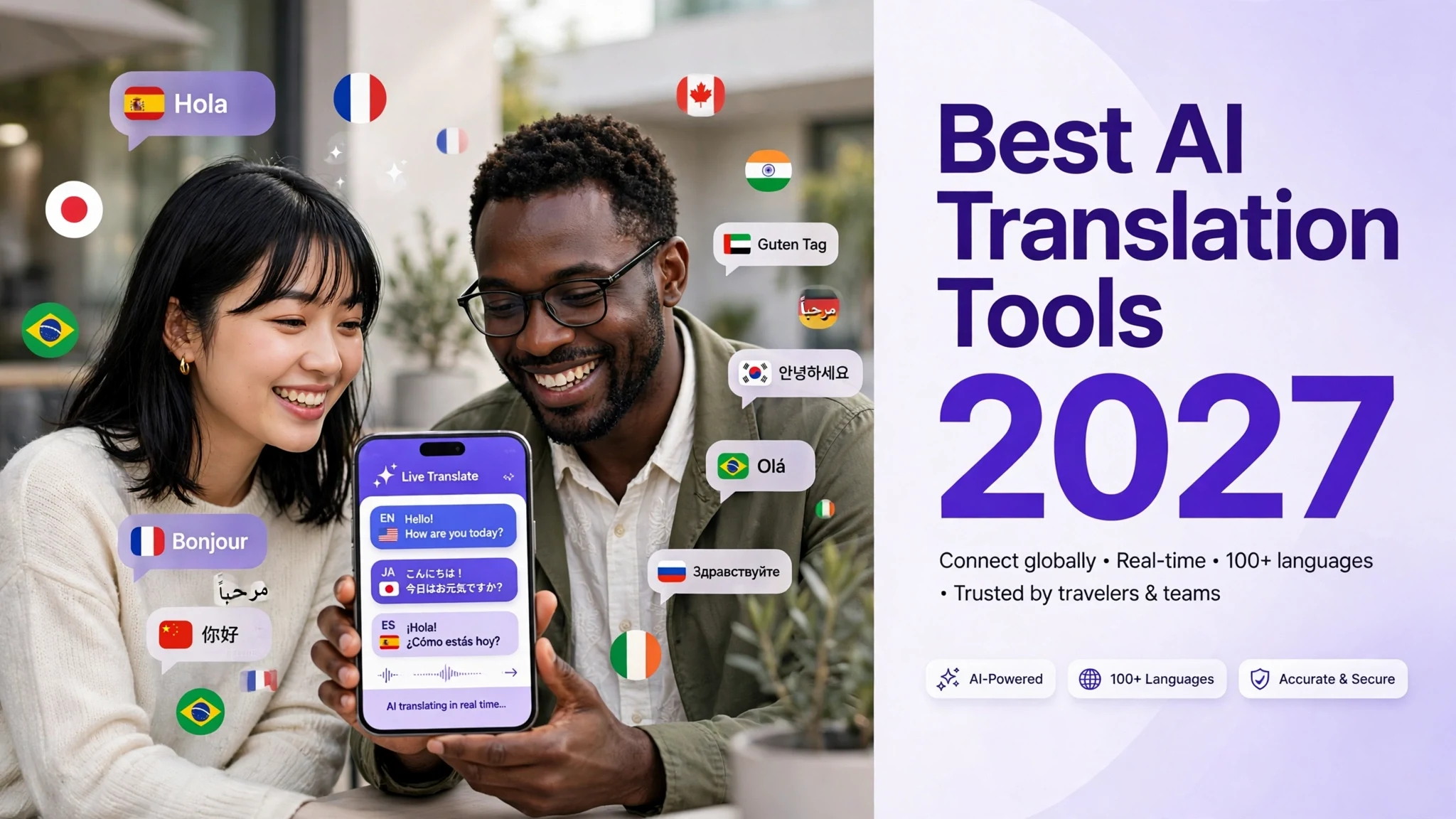
Google Translate remains the most widely used translation tool in the world, and its strength is scale: it supports well over a hundred languages, it is free, and it is built into many products people already use, from web browsers to phones. Its camera feature, which translates signs and menus in real time through a phone, is genuinely useful for travellers, and its conversation mode lets two people speak different languages into one phone and roughly understand each other.
For short, everyday text in major languages, Google Translate is usually good enough. Its weaknesses show up in long documents, technical writing and less common languages, where the output can be vague, lose the original structure, or choose a meaning that fits the sentence but not the subject. It also, by default, may use submitted text to improve its services, which matters if you are translating anything sensitive. The paid version through Google Cloud offers different terms, but the free web tool is a consumer product, not a professional one.
The practical verdict is simple: for quick understanding, travel and casual use, it is hard to beat, because it is free, fast and everywhere. For work where accuracy matters — a contract, a medical letter, a product manual — it should be a starting point that a person checks, not the final word. Its greatest strength, being available to everyone, is also its limit: it is built to be good enough for everyone, not excellent for anyone in particular.
DeepL: The Accuracy Favourite
DeepL has built its reputation on one thing: translations that read more naturally than its rivals, especially between European languages. Many professional translators and businesses prefer it for German, French, Spanish, Dutch and similar languages, because its output often needs less editing. The difference is not always dramatic, and it varies by language pair, but in blind comparisons DeepL frequently comes out ahead on fluency and on choosing the right word in context.
DeepL also handles documents well, preserving the formatting of Word files, PDFs and presentations, which saves hours of rework for office users. Its paid plans offer a glossary feature, which lets a company fix the translation of specific terms — a product name, a technical word — so the same word is always translated the same way. That kind of consistency is exactly what businesses need, and it is something the free general tools do poorly.
The trade-offs are coverage and price. DeepL supports fewer languages than Google, and its strength is concentrated in European languages; for some Asian and African languages it is weaker or absent. The free version has limits on how much text and how many documents you can translate, and the best features need a subscription. For a European business or a professional translator, it is often worth paying for. For a casual user translating between less common languages, it may not be the best choice.
Microsoft Translator and ChatGPT-Style Tools
Microsoft Translator is the quiet workhorse of the field: it powers translation inside Microsoft products, supports many languages, and is strong on business use, including live captions and translation in Teams meetings. For a company already using Microsoft software, it is often the easiest option, and its document translation service can handle large files. It rarely wins headline comparisons for elegance, but it is reliable, well supported and deeply integrated into office workflows.
A newer category is the general AI chatbot used as a translator — tools built on large language models that you can ask to translate, explain, and adapt text. Their advantage is flexibility: you can ask for a formal version and a casual version, ask it to explain a difficult phrase, or ask it to keep a specific term unchanged. They can also translate with more awareness of the whole document, because they can be given context about the subject and the audience.
The risk with chatbot translators is inconsistency. The same sentence can be translated differently on different days, and the model may add explanations or change the meaning in ways a dedicated translator would not. There is also the question of what happens to your text: free chatbot services may use conversations to improve their models, so sensitive documents should not be pasted into them casually. Used carefully, with clear instructions and a human check, they are powerful. Used blindly, they are a source of confident errors.
Specialists: Documents, Subtitles and Business Tools
Beyond the big names, there are tools built for specific jobs. Some specialise in translating documents while keeping the layout intact, which matters for contracts, brochures and reports. Others are built for subtitles and video, timing translations to speech and handling the short lines that appear on screen. Still others are built for websites, automatically translating a whole site and keeping it updated as the original changes.
For businesses, the important features are often not translation quality alone but workflow: glossaries, translation memory, team review, and connections to other software. A translation memory stores sentences a company has already translated and approved, so the same sentence is never translated twice and never translated differently. Over time, this saves money and keeps a brand’s voice consistent across languages. Tools that offer this are usually paid and aimed at professionals, but for a company translating regularly, they pay for themselves.
The lesson here is to match the tool to the job. A subtitle tool will do a poor job on a legal contract, and a document tool will do a poor job on a video. Before choosing, write down what you actually translate most often — short messages, long documents, videos, websites — and choose the tool that is built for that. The best general translator is rarely the best specialist, and the cheapest option is rarely the cheapest once you count the time spent fixing its mistakes.
Price, Free Tiers and What You Really Pay
Most translation tools offer a free tier with limits: a certain number of characters per day, a limited number of documents, or fewer languages. For occasional personal use, the free tier is usually enough. For regular professional use, the paid plans are where the real value is: higher limits, document translation, glossaries, faster service and better privacy terms. Prices change often, so any specific figure quoted here should be checked on the provider’s site before you decide; what matters is the structure, not the exact number on a given day.
The hidden price is your data. Free tools often fund themselves by learning from what users submit, and that is a fair trade for translating a restaurant menu, but a poor trade for translating a business plan, a medical record or a private letter. Paid plans usually promise not to store or train on your text, and that promise is part of what you are paying for. If privacy matters, read the terms, and do not assume that a free tool and a paid tool from the same company treat your data the same way.
A sensible approach is to use free tools for low-stakes, everyday translation and pay for a professional tool when the text matters. Many people use two tools: one for quick understanding and one for work that will be published or sent to a client. That costs more than using one tool for everything, but it costs far less than fixing a bad translation that has already been sent.
Privacy, Accuracy and the Limits You Must Know
Privacy is the most overlooked part of translation. Everything you paste into an online translator is sent to a company’s servers, and what happens next depends on its policy. For personal or public text, that rarely matters. For confidential business, legal, medical or private text, it matters a great deal. The safest rule is simple: if you would not email the text to a stranger, do not paste it into a free online translator. Use a paid plan with clear privacy terms, or an offline tool.
Accuracy has real limits, and they cluster in predictable places. Humour, poetry, wordplay and cultural references translate badly. Legal and medical language is dangerous because a small error can change an obligation or a dose. Low-resource languages — those with less training data — get noticeably worse results, and that gap is a real equity issue: the people who most need translation often get the worst tools. Any claim that AI translation is now perfect should be treated as marketing, not fact.
The practical rule that professionals use is to match the checking to the risk. A social media post can be machine-translated and lightly checked. A contract, a safety instruction or a medical document should be translated by a machine if you like, but then reviewed by a qualified human translator, and ideally back-translated to check the meaning survived. AI translation is a superb assistant. It is not yet a responsible adult, and it should not be left alone with decisions that matter.
When a Mistranslation Matters: Medical, Legal and Safety-Critical Texts
Most translation mistakes are harmless, a wrong word on a menu or a strange sentence in an article, but a small number of texts are places where a mistake can cause real harm. A dosage instruction on a medicine leaflet, a consent form before an operation, a safety warning on a machine, or a clause in a contract are all texts where one wrong word can change the meaning in a dangerous way. In these cases the right approach is not to paste the text into a free tool and hope for the best; it is to use a qualified human translator, ideally one certified for medical or legal work, and to have the result checked by a second person. A useful extra step is back-translation, where the translated text is translated back into the original language to see whether the meaning survived the journey. It costs more and takes longer, but for a text where an error could injure someone or cost them their rights, that care is not a luxury; it is the minimum.
My Take:
My honest view is that AI translation has quietly become one of the most useful technologies in ordinary life, and also one of the most overtrusted. I use it myself for understanding things I could never read otherwise, and the fact that I can read a news article from another country in seconds still feels remarkable. But I have also seen how smoothly it can be wrong, and that combination — useful and occasionally wrong in ways that look right — is exactly why it needs judgement, not just enthusiasm.
What I like most about the current tools is that they have lowered the barrier to curiosity. A student can read a paper in another language, a small business can answer a customer abroad, a traveller can ask for help without a phrasebook. That is a real, democratic good, and it matters more than any single feature comparison. The best translation tool is not the one with the highest score in a test; it is the one that a person who needs it can actually use, afford and understand. Free, fast and good enough has changed more lives than perfect and expensive ever will.
But I am wary of the way these tools are sold as if language were only a code to be cracked. Translation is not just swapping words; it is carrying meaning, tone, politeness and culture across a gap, and some of that gap cannot be closed by pattern matching alone. A joke, an apology, a legal obligation and a poem are different kinds of language, and a tool that handles one well may fail badly at another. I think we should stop asking whether AI translation is good in general and start asking whether it is good for this text, for this reader, and for this consequence.
The privacy issue is the one I think most users underestimate, and I include myself in that. It is easy to paste something into a free box without thinking, because the box feels private. It is not. It is a service run by a company, and what you paste becomes data on someone else’s server. For everyday things that does not matter. For a job application, a medical letter, a business negotiation or a private family matter, it matters a great deal, and I wish the tools made that clearer at the moment you paste, not buried in terms nobody reads.
On the comparison itself, my practical advice is boring and therefore useful: do not choose a tool by its brand or by one impressive demo. Choose it by your own test. Take five pieces of text you actually translate — an email, a document, a message in the language you struggle with — and run them through two or three tools. Read the results carefully, and notice which one you have to fix least. That half-hour test will tell you more than any review, because it tests your languages, your subjects and your standards, not someone else’s.
I also think the professional translators deserve a word here, because the story is often told as if they are being replaced. In my view the job is changing, not disappearing. The routine work is increasingly done by machines, but the work that requires judgement — a contract, a novel, a marketing campaign, a sensitive letter — still needs a person who understands both cultures, not just both languages. The translators who thrive will be the ones who use AI as a first draft and spend their skill on the parts a machine cannot do. That is not a consolation. It is a description of how most skilled work is changing.
Looking ahead, I expect the gaps to narrow but not to vanish. Low-resource languages will improve as more data is collected, though that raises its own questions about who collects it and who benefits. Real-time speech translation will get smoother, and the awkward pause in a translated conversation will shrink. What I do not expect is a moment when translation becomes a solved problem, because language keeps changing, and meaning keeps depending on who is speaking, to whom, and why. The tools will get better at the easy parts, and the hard parts will remain human.
If I had to recommend one approach for most readers, it would be this: use a free general tool for understanding and everyday messages, use a paid specialist tool for work that matters, and always have a human check anything where a mistake would cost money, health or a relationship. Keep a short list of terms that matter to you and make sure they are translated consistently. And never paste something confidential into a tool whose privacy terms you have not read. That is not paranoia. It is the same care you would take with any other professional service.
For a small business owner, my advice is slightly different: invest in a glossary and a translation memory, even a simple one, because consistency is what makes a business look professional in another language. A customer who sees the same product described three different ways loses trust, even if each version is understandable. A modest paid plan that keeps your terms consistent will do more for your reputation than a free tool that is slightly more fluent on any single sentence. Think of translation as part of your brand, not as a chore to be done as cheaply as possible.
Finally, I would say that translation tools have given us something precious: the ability to listen to more of the world. That is worth protecting, and it is worth using well. The danger is not that the machines will mistranslate us into conflict, though that can happen. The danger is that we will stop noticing when they do, because the output reads so smoothly. Stay curious, stay sceptical, and keep a human in the loop wherever the words matter. The technology is remarkable, and it is at its best when it helps people understand each other, not when it pretends the understanding is already complete.
One worry I have not mentioned yet is what happens when translation becomes too easy, and people stop learning languages altogether. If a phone can translate any conversation instantly, the temptation is to never learn the other person’s language, and something real is lost in that bargain. A language is not only a tool for ordering food or asking directions; it is a way of thinking, of joking, of showing respect, and a translated sentence, however accurate, rarely carries the warmth of a sentence spoken in the other person’s own tongue. I use these tools gladly, and I would not give them up, but I think they should be a bridge, not a replacement. Learn a few words, make the effort, and let the machine handle the hard parts, because the effort itself is a kind of politeness that no software can translate.
Frequently Asked Questions
Which AI translation tool is most accurate in 2027?
There is no single winner for every language. DeepL often leads on fluency between European languages, while Google Translate covers more languages and is strong for everyday use. The best way to decide is to test both with your own texts in your own language pair, since results vary by subject and language.
Is Google Translate or DeepL better?
DeepL is often preferred for professional work between European languages because its output usually needs less editing and it handles documents well. Google Translate is better for travel, rare languages and casual use because it is free and supports far more languages. Many people use both for different jobs.
Can AI translation replace a human translator?
Not for work where accuracy matters. AI is excellent for understanding and for first drafts, but it can make fluent, confident errors and it struggles with legal, medical, literary and culturally sensitive text. Professional translators now often use AI as a starting point and apply human judgement to the result.
Are free translation tools safe for private documents?
Not necessarily. Free tools may store submitted text or use it to improve their services, depending on their terms. For confidential business, legal or medical documents, use a paid plan with clear privacy terms, or an offline tool, and avoid pasting sensitive text into free web translators.
Can AI translation tools work offline?
Some can, including Google Translate’s downloaded language packs and some mobile apps, but offline quality is usually lower and fewer languages are available. Document translation and the most advanced features generally need an internet connection.
How many languages do the best AI translation tools support?
Google Translate supports well over a hundred languages, while DeepL supports fewer, concentrated on European and some Asian languages. Coverage changes over time, so check the provider’s current list for the specific languages you need before choosing.