What Is Guest Posting Explained
In this post
- What Is Guest Posting?
- A Simple Guest Posting Example
- Why Do People Do Guest Posting?
- Guest Posting Words in Simple English
- How to Do Guest Posting, Step by Step
- A Guest Post Email You Can Copy
- What Does Google Say About Guest Posting?
- Guest Posting Mistakes to Avoid
- Is Guest Posting Free or Paid?
- Final Words
- Sources
These days, everyone in the blogging world is talking about one thing: guest posting. Some people call it a shortcut to success. Some people call it dangerous. And some people are quietly charging money for it, which makes beginners even more confused.
So what is guest posting, really? Why do so many website owners want it? And can a small, new website do it safely, without making Google angry?
This guide answers all of that in simple English — the meaning, the benefits, the full step-by-step process, the rules, and the mistakes that waste people’s time and money. Read it slowly, and by the end you will understand guest posting better than most people who throw the word around every day.
What Is Guest Posting?
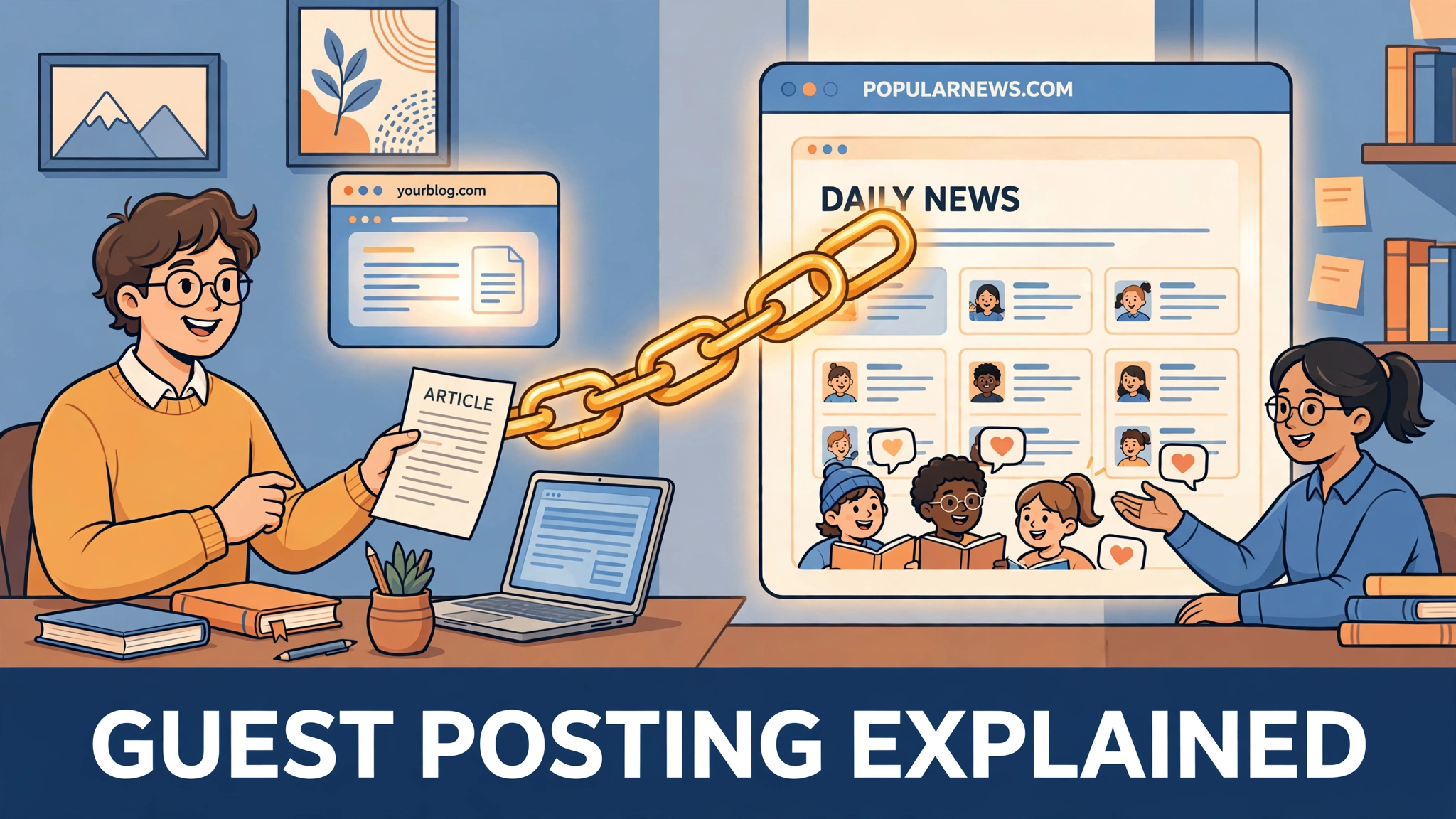
Guest posting means writing an article for a website that is not yours, and that website publishes it under your name.
Think of it like being a guest. When you visit someone’s home as a guest, you sit in their house, eat with their family, and talk to their people — but the house is not yours. Guest posting is the same idea on the internet. The website belongs to someone else. Their readers are already there, waiting. You arrive as the guest, with one thing in your hands: a useful article you wrote for them.
In return, the website usually gives you two things. First, your name appears with the article, so a completely new audience learns who you are. Second, at the end of the article there is usually a short introduction about you — and inside it, one link back to your own website.
Guest posting is also called guest blogging. Both names mean exactly the same thing, so do not let the two words confuse you.
A Simple Guest Posting Example
Let us make it real with a small example.
Imagine a young woman runs a small cooking blog from her home. She writes good recipes, but very few people know her blog exists. One day she writes a beautiful article — “Five Easy Dinners for Busy Mothers” — and sends it to a much bigger food website. The editor of that website likes it and publishes it.
Now look at what happens. Thousands of readers of the big website read her article and enjoy it. At the bottom, they see her name and one line about her: “She shares simple home recipes on her own blog,” with a link. Some of those readers click the link and visit her small blog. Some of them like it and keep coming back.
That is guest posting. She gave the big website a free, useful article. The big website gave her readers, trust, and a link. Both sides gained something, and nobody paid anybody. Hold on to this example, because everything else in this guide is built on it.
Why Do People Do Guest Posting?
Now the big question: if writing an article takes hours of work, why give it away to someone else’s website for free? There are four honest reasons.
1. New readers discover you. Your own website may be new and small, but a bigger website already has an audience. One good guest post puts your name and your knowledge in front of all those people in a single day.
2. You receive a link back to your website. In the blogging world, a link from another website to yours is called a backlink, and backlinks matter. Google treats a link from a respected website like a small vote of trust. It quietly tells Google: this website is worth knowing. Enough honest votes like that, over time, can help your pages appear higher in search results.
3. People start trusting your name. When readers see your article on a website they already respect, some of that respect rubs off on you. Next time they see your name — on your own blog, on social media, anywhere — it already feels familiar.
4. Real visitors arrive at your site. Some readers of the guest post will click your link the same day it is published. That is real traffic from real people who are already interested in your topic — the best kind of visitor a small website can get.
Notice something important. Three of these four benefits are about people — readers, trust, visitors. Only one is about Google. Remember that, because it is the secret that separates good guest posting from the kind that gets people into trouble.
Guest Posting Words in Simple English
Articles about this topic are full of difficult words. Here are the five you will meet again and again, explained the easy way.
Backlink — a link on someone else’s website that points to your website. It is the “vote” we talked about above.
Anchor text — the visible, clickable words of a link. If the link says “simple home recipes,” those three words are the anchor text.
Author bio — the two or three lines about you at the end of a guest post. This is where your name, your topic, and usually your one link live.
Dofollow link — the normal kind of link. It passes that “vote of trust” to your website.
Nofollow link — a link with a small tag that tells Google: do not count this as a vote. You still get the readers who click it; you just do not get the voting power.
None of these are as scary as they sound. A backlink is a link. Anchor text is its words. The bio is your introduction. That is all.
How to Do Guest Posting, Step by Step
Here is the whole process, in the order real people do it.
Step 1: Decide What You Want and What You Will Write About
Before anything else, be clear about two things. First, your goal: do you want new readers, a backlink, or both? Second, your topic: guest posting only works when you write about the subject you actually know. A cooking blogger writes about food. A teacher writes about study tips. Write what you know, or the article will sound empty — and editors can smell an empty article in ten seconds.
Step 2: Find Websites in Your Topic
Guest posts must go on websites connected to your subject. A recipe article belongs on a food website, not on a site about car parts.
The simplest way to find such websites is a Google search. Type the words write for us together with your topic, like this: write for us + food. Many websites keep a “Write for us” page where they invite guest writers and explain their rules. Make a small list of websites that fit your topic and look alive — fresh articles, real readers, a clean design.
Step 3: Check That the Website Is Genuine
This step saves you from the biggest trap in guest posting, so do not skip it. Before you offer anyone an article, ask four questions about the website:
- Does it publish real articles on one clear topic, or random articles about everything?
- Are the articles genuinely useful, or thin and copied-looking?
- Does it look like real readers visit and comment there?
- Does it openly sell links and guest posts to anyone with money?
If a website publishes anything from anybody, it is not a respected home — it is a crowded bazaar. A guest post there gives you almost nothing, and can even make your own website look bad by association. One good website is worth more than fifty of those.
Step 4: Send a Short, Polite Email
Website owners are busy people, and they receive many lazy, copy-paste emails. Yours must be short, personal, and clearly written by a human who actually read their website. There is a ready email you can copy further down this page. The golden rules are simple: use their real name if you can find it, mention one article of theirs you genuinely read, offer two or three clear topic ideas, and keep the whole email short.
Step 5: Write the Article Like It Is Your Own
If the editor says yes, now comes the real work — and this is where most people fail. Write the guest post with the same love you would give your own website. Make it original, make it useful, and follow every rule on their “Write for us” page. Never send an article you have already published somewhere else, and never send the same article to many websites. Editors talk to each other, readers notice copies, and Google notices them fastest of all.
Step 6: Add Your Author Bio and One Natural Link
At the end, add your two or three bio lines and one link to your website. Keep the link natural — link to a page that truly helps the reader continue on the same topic. Do not force sales words into the link, and do not beg for more than one link. One clean link, honestly placed, is the professional way.
Step 7: Share It and Say Thank You
When the article is published, share it with your own audience and thank the website owner. This small courtesy matters more than people think. Editors remember polite, helpful writers — and one good relationship can bring you invitations to write again, without you even asking.
A Guest Post Email You Can Copy
Here is a simple email that follows all the rules above. Change the parts in brackets to fit your topic.
Subject: An article idea for [Website Name]
Hello [Name],
I have been reading [Website Name] for some time, and I really enjoyed your article about [one real article of theirs]. I write about [your topic] on my own small blog, [your website].
I would love to write a guest article for your readers. Here are two ideas:
- [First topic idea]
- [Second topic idea]
The article will be completely original and written only for your website. Please let me know if any of these ideas suit your readers.
Thank you for your time, [Your full name]
Short. Polite. No begging, no tricks, no promises of money. That is what a real guest posting email looks like.
What Does Google Say About Guest Posting?
This is the part where beginners get scared, so let us go straight to the source: Google itself.
Google does not punish guest posting. Writing a helpful article for another website — to teach their readers, to introduce yourself, to share what you know — is a normal, healthy part of the internet, and it has been for many years.
What Google’s official spam rules actually target is something different: link spam. In its spam policies, Google names large-scale guest posting campaigns whose main purpose is stuffing links full of keywords, and links that are bought and sold to push a website up in rankings. In simple words: Google is not against the guest. Google is against the guest who only came to slip an advertisement under the door.
So the line is not hard to see. If your guest post exists to help readers, you are on the safe side of the line. If it exists only to plant a link, you are on the wrong side — and Google is very good at telling the difference. Done the honest way, you never need to fear an article about guest posting, or a guest post itself.
Guest Posting Mistakes to Avoid
Most beginners who fail at guest posting fail in one of these ways. Read them now, and you will not have to learn them the expensive way.
Paying for links. Websites and agents openly sell guest posts with links. It sounds fast, but a bought ranking link is exactly what Google’s link spam rules describe. On a new website, it is a risk that is simply not worth taking.
Publishing on websites that accept anything. If a site will publish any article from anybody, its “vote” is worthless, and your name sits next to poor content.
Sending the same article everywhere. One article, one website. Copies help nobody and can hurt everybody involved.
Thinking only about the link. If the article itself is weak, readers will not click, the editor will not invite you again, and the link will sit on a page nobody reads.
Stuffing keywords into your link. Writing your bio link with sales words like “best cheap phones buy now” looks exactly like what it is — an attempt to fool Google. Write like a person, not like an advertiser.
Ignoring the website’s rules. Every good website lists what it accepts. Breaking those rules in your first email or article ends the relationship before it begins.
Expecting results in one day. Guest posting is a slow, honest road. One strong guest post can keep sending you readers for years, but it builds its effect week by week, not overnight.
Is Guest Posting Free or Paid?
Both exist in the real world, and beginners should understand the difference.
Free guest posting is the original idea: you give a website a genuinely useful article, and they give you an audience and a byline. No money changes hands. This is the road this whole guide recommends, and it is the road a new website should start on.
Paid guest posting means paying a website or a middleman to publish your article with a link. It exists everywhere, and it is exactly the area Google’s link rules warn about. If someone promises you dozens of links in a few days for a fee, that is not a golden opportunity — that is the danger sign this guide has been warning you about.
Start free. Start honest. Grow slowly.
Frequently Asked Questions
What is guest posting in simple words? It means writing an article for someone else’s website. They publish it under your name, their readers discover you, and a short introduction at the end links back to your own website.
Is guest posting good for SEO? It can be, when it is done honestly. A guest post on a real, respected website in your topic can bring you readers, trust, and a backlink — and all three help your website grow in search over time.
Is guest blogging the same as guest posting? Yes, completely. Guest blogging is simply the older name for the same thing.
How do I find websites that accept guest posts? Search Google for write for us plus your topic, and look at the websites in your field that publish articles by outside writers. Always check that the website is genuine and active before you write to them.
Does Google punish guest posting? No — Google punishes link spam, not guest posting. Helpful guest articles written for readers are fine. Large campaigns built only to plant keyword-filled links, and links that are bought and sold, are what Google’s spam rules target.
Can a complete beginner do guest posting? Yes. You do not need fame or a big website. You need one topic you understand, one genuinely useful article, and the patience to write a polite email and wait for a reply.
Final Words
Guest posting is not magic, and it is not a crime. It is one of the oldest, simplest ideas on the internet: help another website’s readers, and some of those readers will find their way to you.
Do it for people first and links second. Choose real websites over easy ones. Write every guest post like your name matters — because it does, it is printed right there under the title. And grow the slow, honest way, the way that never has to look over its shoulder when Google updates its rules.
That is guest posting, explained.
Sources
- Google’s official spam policies, including its rules on link spam and large-scale guest posting campaigns: Google Search spam policies
- A detailed guide to what guest posts are and how to get published: Semrush — Guest Posts
- A practical guide to guest posting, including how editors judge the articles sent to them: TechPrevue — What Is Guest Posting?